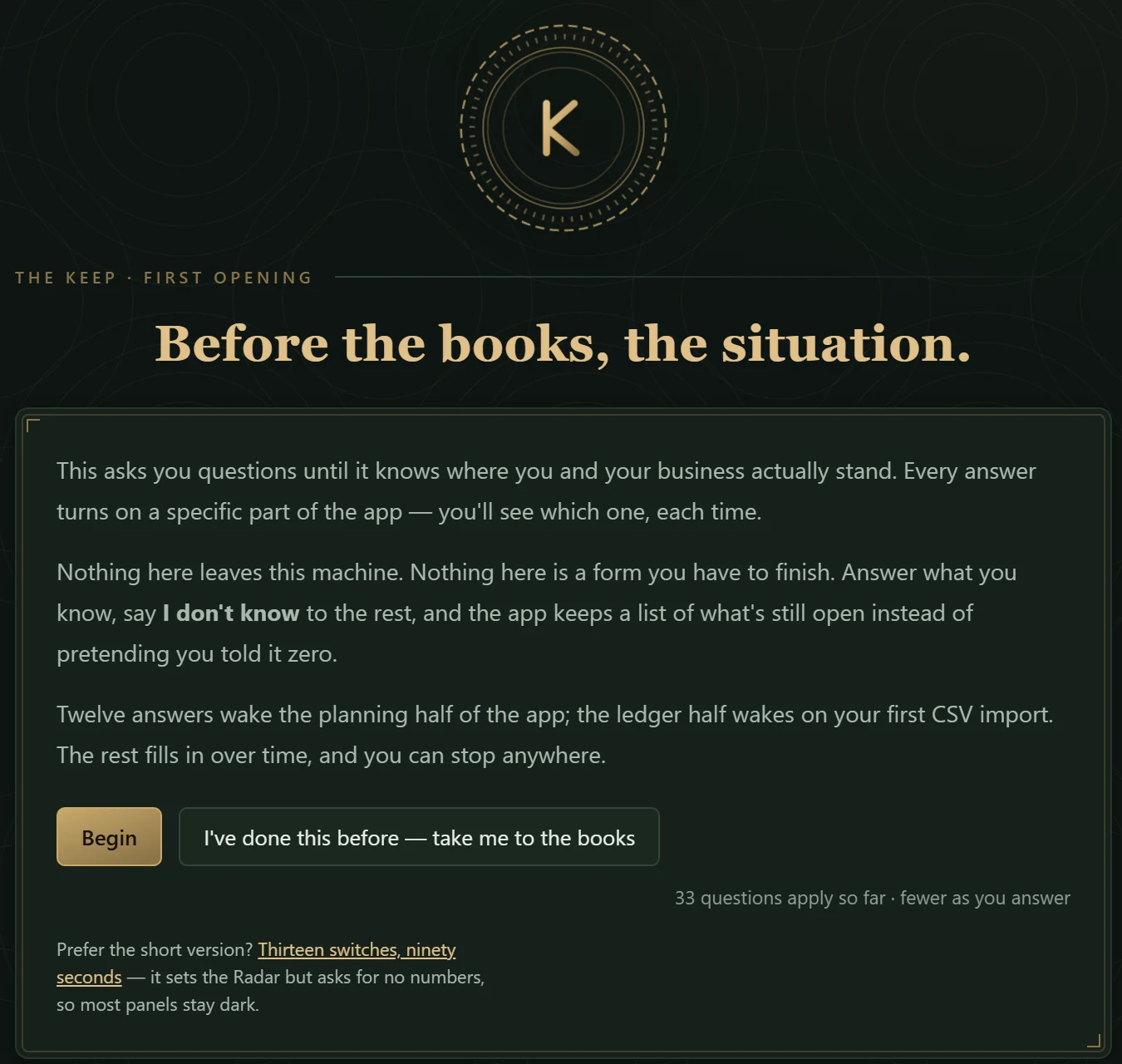
01 · FIRST OPENINGfresh file · nothing entered yet
Before the books, the situation.
The first screen is not an empty ledger. It asks questions until it knows where you and
your business actually stand, and each answer turns on a named part of the app.
Answer what you know, say I don't know to the rest, and the app keeps a list of what's
still open instead of pretending you told it zero.
33 questions apply so far · fewer as you answer.
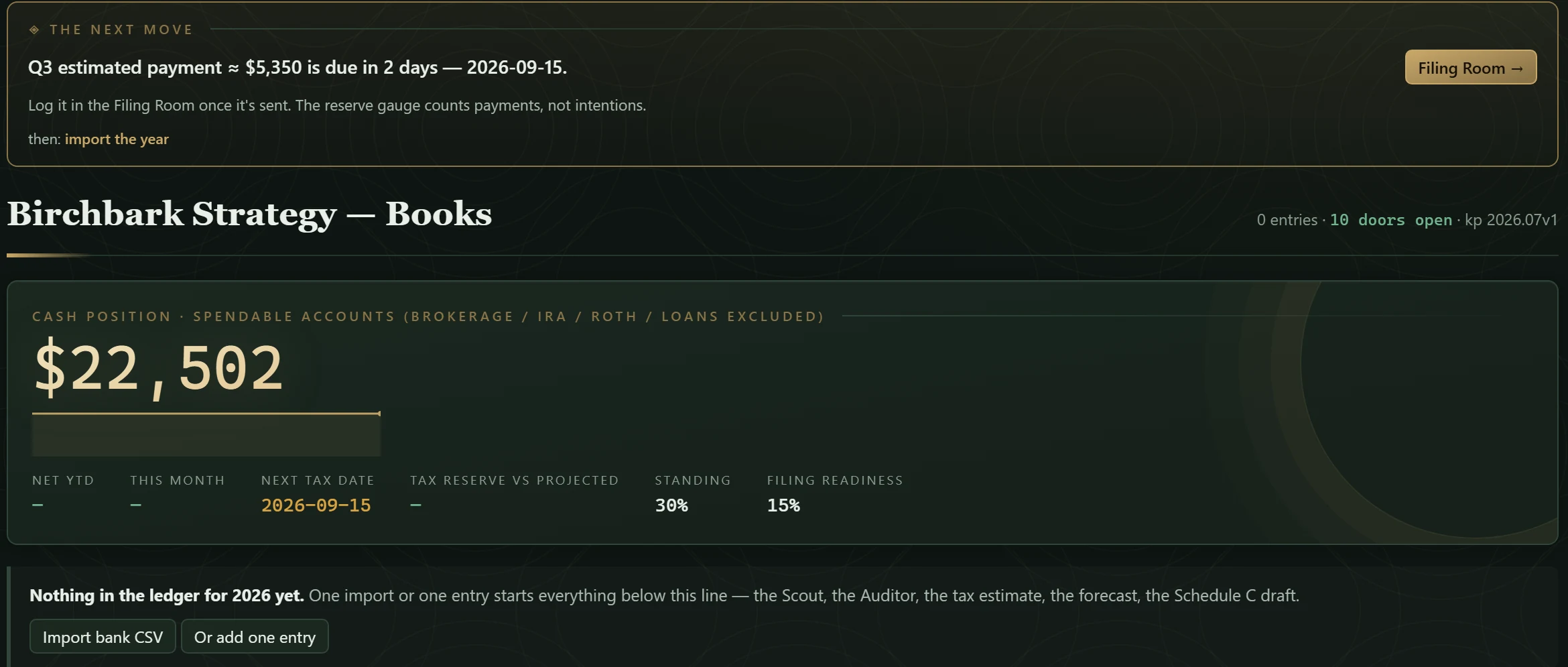
02 · THE NEXT MOVECompass · dashboard · 0 entries
One instrument, one action — before a single entry exists.
The Compass sits at the top of every screen with one move on it. Here the interview is done
and the ledger is empty, and it already has one:
Q3 estimated payment ≈ $5,350 is due in 2 days — 2026-09-15.
Log it in the Filing Room once it's sent. The reserve gauge counts payments, not
intentions.
Then: import the year. Below it the dashboard says so in plain words —
nothing in the ledger for 2026 yet; one import or one entry starts everything.
03 · IMPORT BANK CSVpreview · nothing imported yet
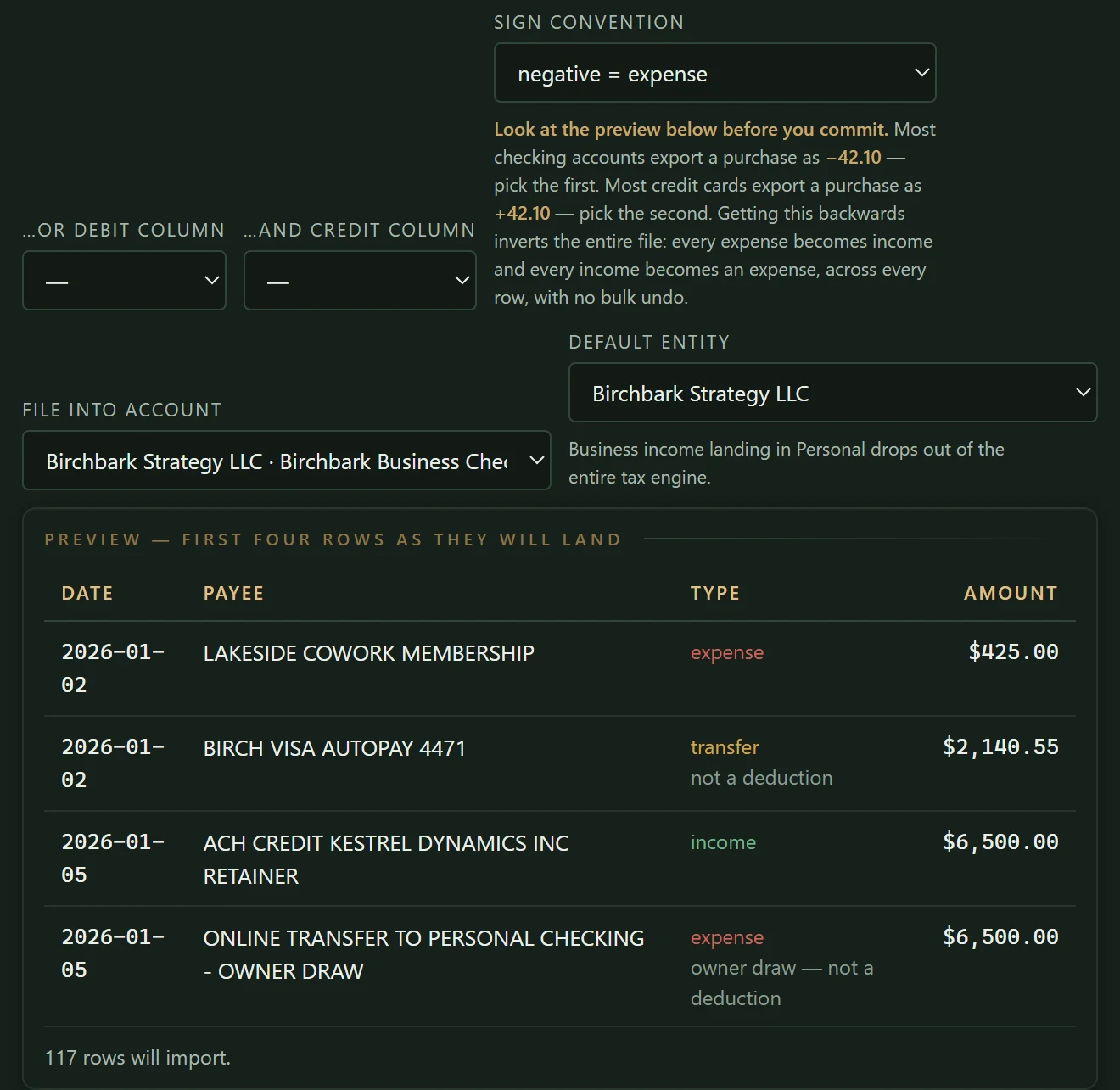
The preview runs the same classifier as the import.
Columns are mapped from the bank's headers; the sign convention is one choice and the app
says what getting it backwards would do. Before a row lands, the preview shows the first
four as they will land: the coworking membership is an expense; the card autopay is a
transfer · not a deduction; the retainer is income; the transfer to
personal checking is an owner draw — not a deduction.
117 rows will import.
04 · LEDGERafter two imports · rules applied · transfers routed
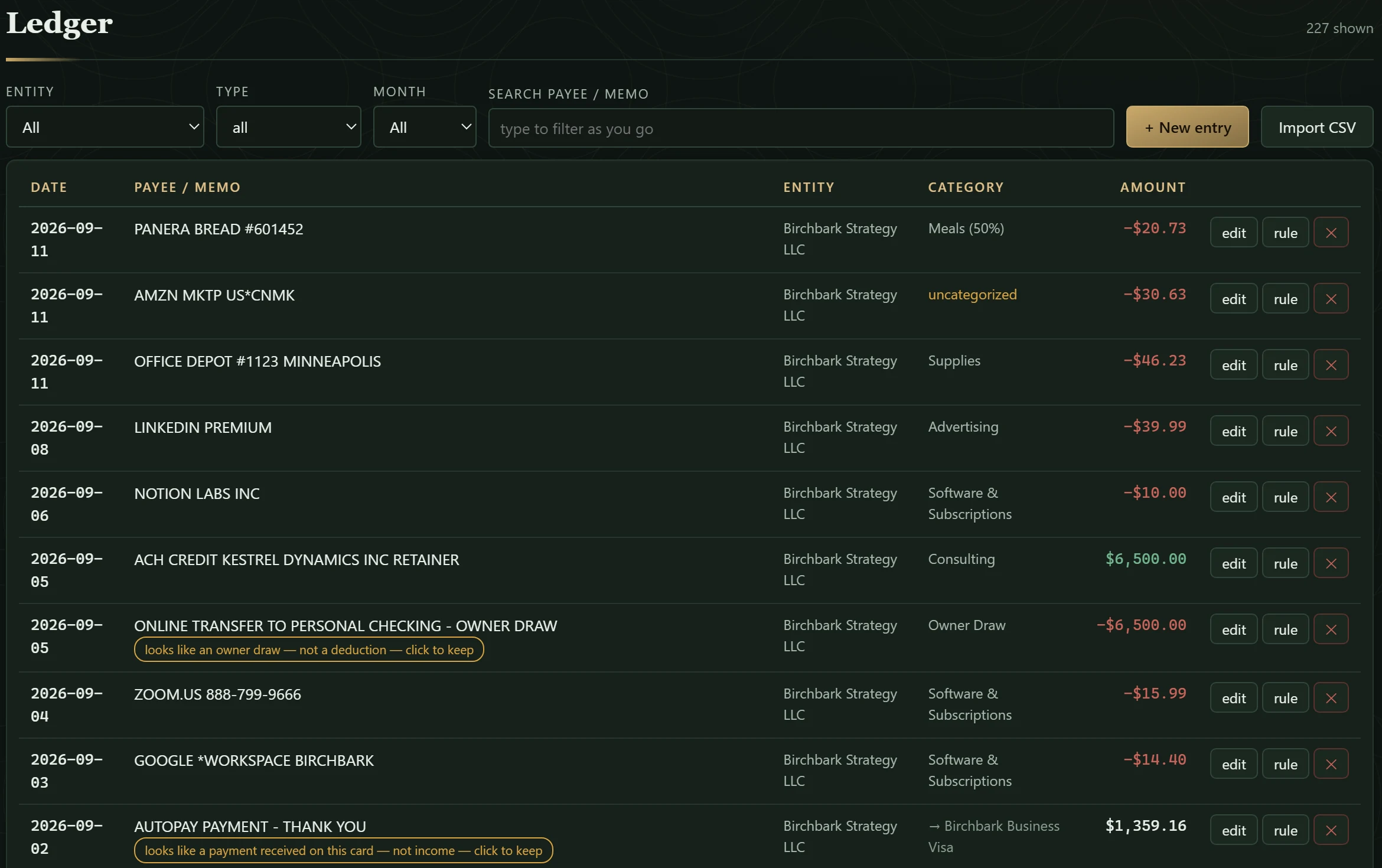
Rules put the category on. The owner draw is flagged, not deducted.
227 shown. With the year's rows in, the rules have
written the category on the recurring rows — Meals (50%), Supplies, Advertising, Software
& Subscriptions, Consulting. The $6,500 transfer to personal checking is held with its
reason on the row: looks like an owner draw — not a deduction — click to
keep. The card statement's own payoff row, at the foot of the crop, is held the same way —
looks like a payment received on this card — not income — click to keep —
and shown as a transfer into Birchbark Business Visa, in no income total. One row
stays uncategorized until you say what it is.
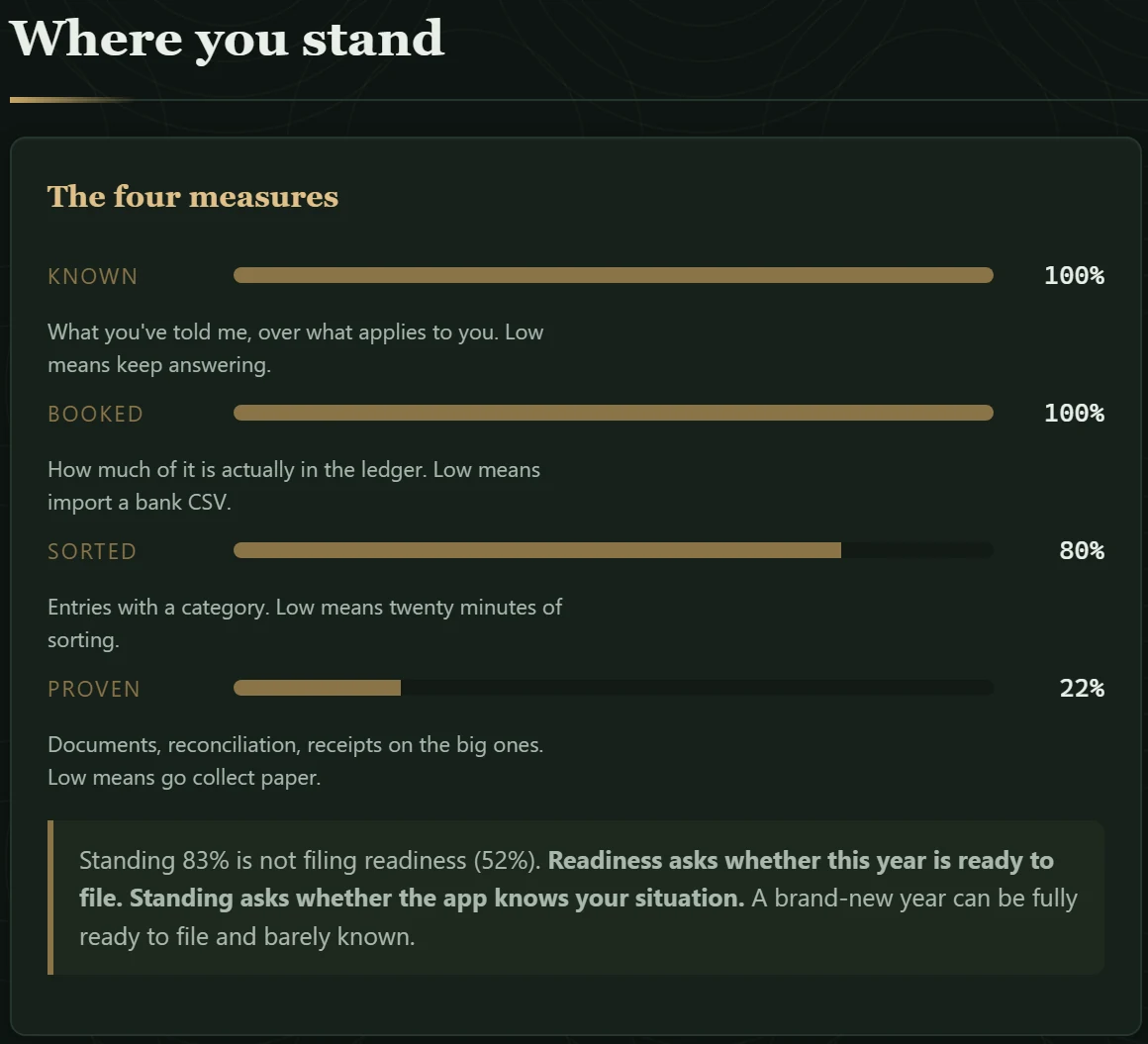
05 · WHERE YOU STANDthe four measures
KNOWN · BOOKED · SORTED · PROVEN — and the sentence that moves each one.
KNOWN 100% · BOOKED 100% · SORTED 80% · PROVEN 22%. Under each lever
is what low means: keep answering; import a bank CSV; twenty minutes of sorting; go collect
paper. And the distinction the app insists on: Readiness asks whether this year is ready to
file. Standing asks whether the app knows your situation.
Standing here is 83%;
readiness is 52%.
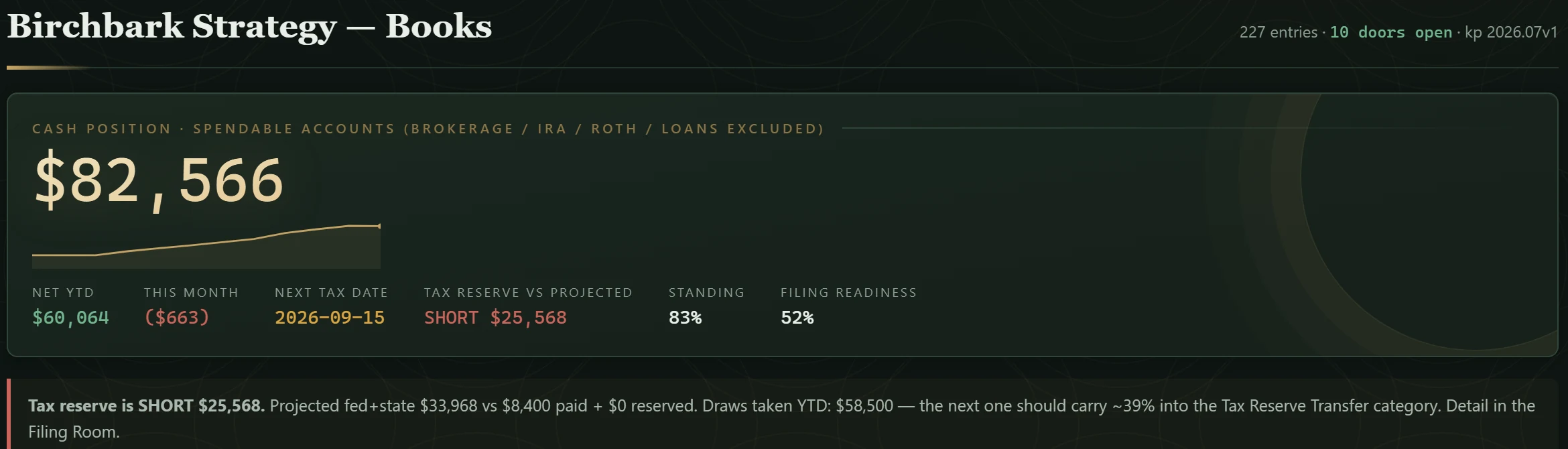
06 · TAX RESERVEdashboard · 227 entries
The reserve gauge says what the next draw should carry.
Cash position $82,566; Net YTD $60,064 — income less
everything that left the business this year, owner draws included, which is why it is not the
package's net profit and should not be; and against the projected tax the reserve reads SHORT $25,568.
The strip beneath does the arithmetic out loud: Projected fed+state $33,968 vs $8,400
paid + $0 reserved. Draws taken YTD: $58,500 — the next one should carry ~39% into the Tax
Reserve Transfer category. Detail in the Filing Room.
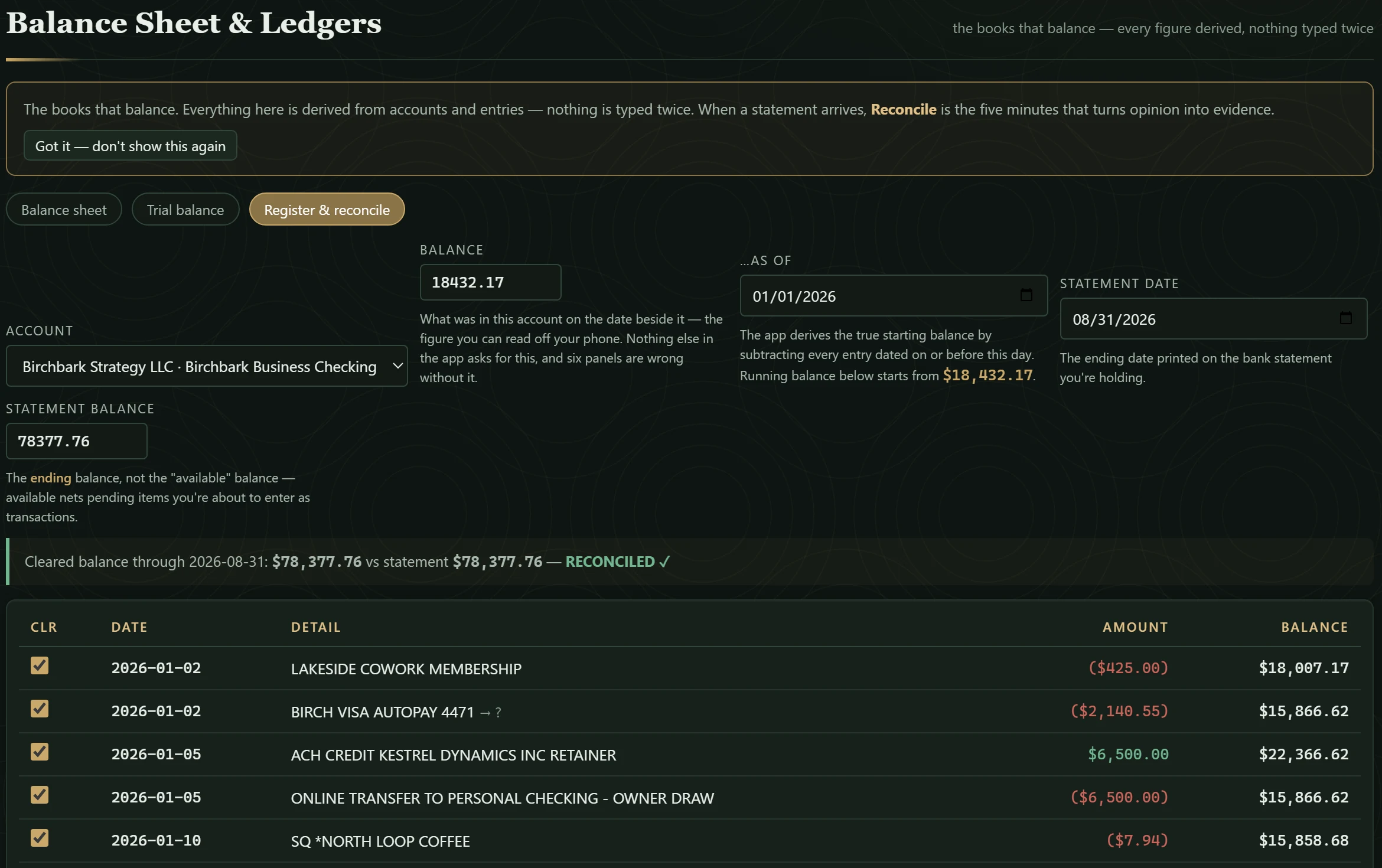
07 · REGISTER & RECONCILEBalance Sheet & Ledgers
Cleared balance equals the statement. Reconciled.
The app asks for two numbers you can read off a statement — the opening balance on a date
and the ending balance the bank printed — and derives the rest.
Cleared balance through 2026-08-31: $78,377.76 vs statement $78,377.76
— RECONCILED ✓. On sample books the statement is the CSV itself, so the two
numbers agree by construction; the check is real, the test was easy. In the room's own words: When a statement arrives,
Reconcile is the five minutes that turns opinion into evidence.
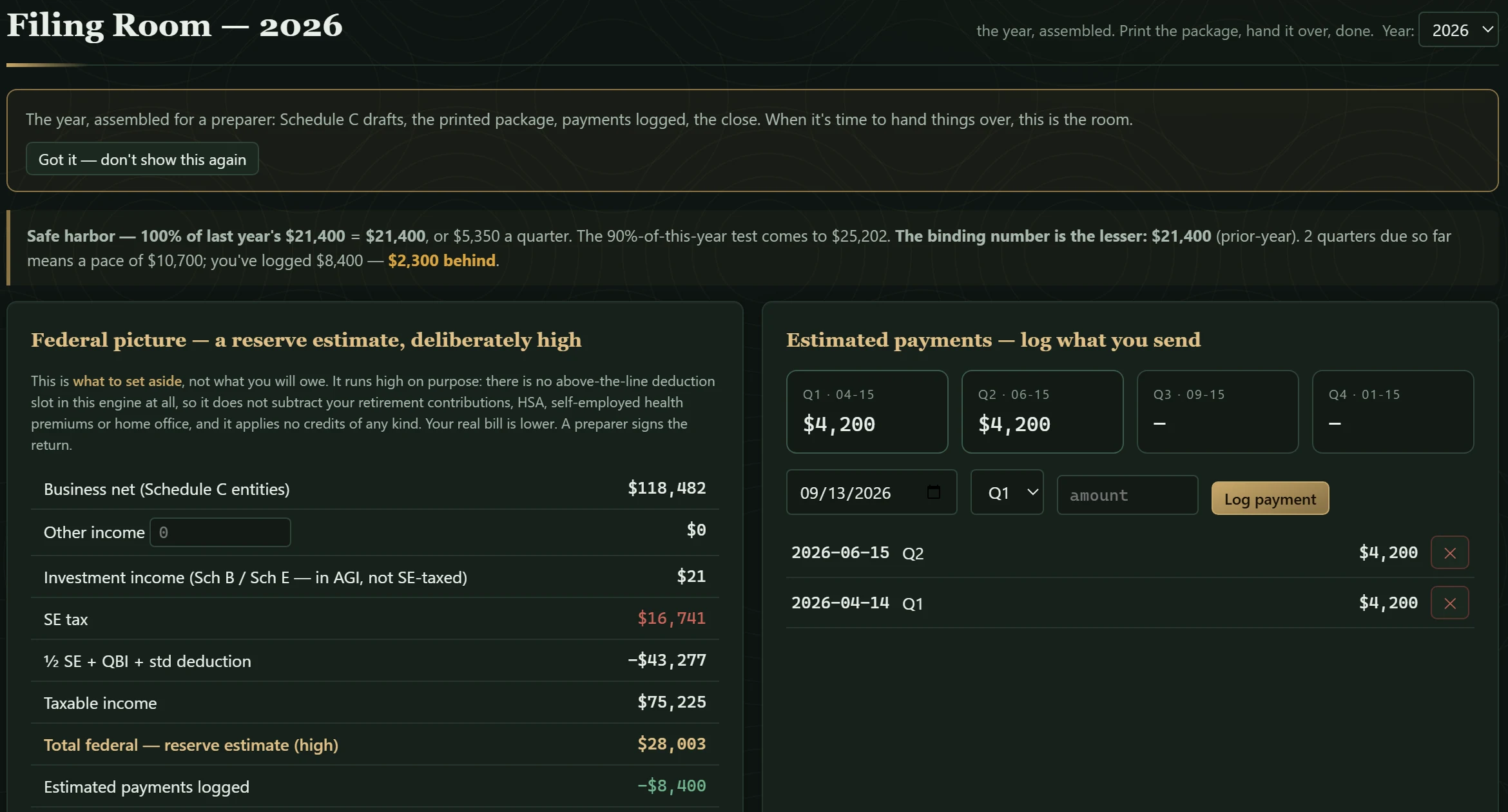
08 · FILING ROOMtax year 2026
Safe harbor computed; the federal picture labeled a reserve estimate, deliberately high.
Safe harbor — 100% of last year's $21,400 = $21,400, or $5,350 a quarter.
Two quarters
logged at $4,200 each: $2,300 behind. The federal picture is
headed for what it is — a reserve estimate, deliberately high — and says why: no
above-the-line deduction slot, no credits. Total federal $28,003,
payments logged −$8,400.
A preparer signs the return.
09 · PREPARER PACKAGEprint view · what your accountant receives
Basis of accounting in the header. The engine's exclusions listed before the first number.
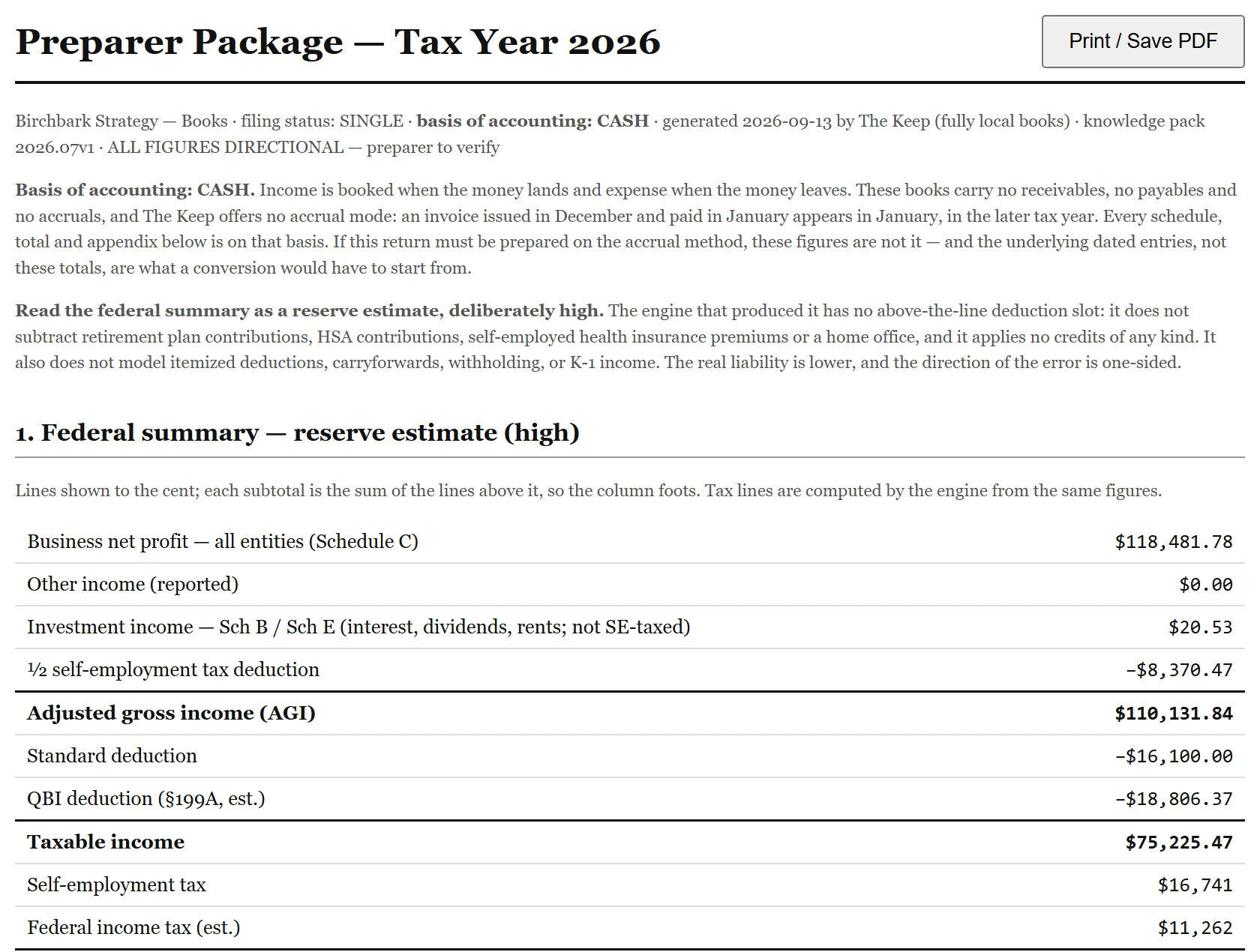
The Filing Room prints this. The header carries
basis of accounting: CASH · generated 2026-09-13 by The Keep (fully local books)
· ALL FIGURES DIRECTIONAL — preparer to verify. Before the first figure it says what
cash basis means for these books and what the engine does not model — retirement
contributions, HSA, home office, credits, itemizing, carryforwards, K-1 — so the direction of
the error is one-sided and the preparer knows it. Then the federal summary, by line —
Lines shown to the cent; each subtotal is the sum of the lines above it, so the column
foots.
Net profit $118,481.78, interest $20.53,
half the self-employment tax off, AGI $110,131.84; standard deduction and
QBI off, taxable income $75,225.47. Below this crop, the Schedule C draft
carries one line labeled (unmapped) — uncategorized, not yet reviewed; carried until
sorted: those are the rows left unsorted on purpose, and the draft carries them until they
are. That line is in the sample package.
10 · VAULTdurability · the read-back
Written to a bound file, then read back to prove it landed.
Browser storage is a cache, not a home.
The books are bound to a file, rewritten on every
save — and the save is not reported done until the file has been
reopened and counted: Encrypted file saved and reopened at 12:38:35 PM —
227 entries verified in TheKeep-books.keep.json. On your machine that file is one you
choose with the browser's file picker. A headless capture cannot open a picker, so the file on
this frame lives in the browser's private file store — same write, same read-back, different
address. A rolling ring of auto-snapshots and manual backups sit beneath it.